

Compared at the same moment
Cars are compared on the race clock: same track, same temperature, same traffic.
Home / Solutions / Nürburgring Pack / Post-race Analytics
Nürburgring Pack · Analyse
Find out where the race was won or lost, in seconds you can check.
Post-race Analytics reads the official sector times of the NLS and the 24h Nürburgring and compares your car with any car in the field at the same moment of the race. Add the AiM or VBOX files of your car, and it measures the neutralisations on your car and compares your drivers corner by corner.
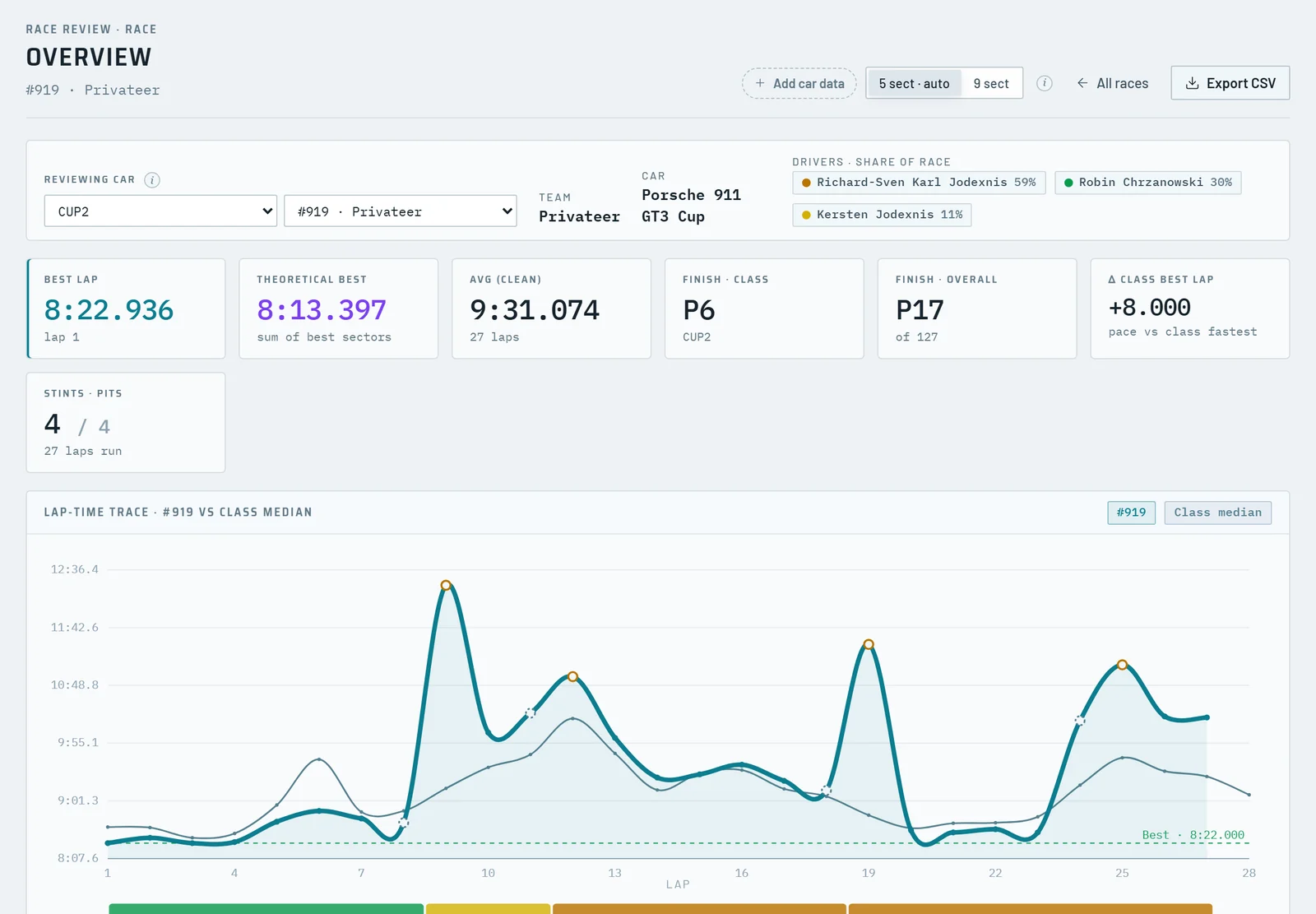
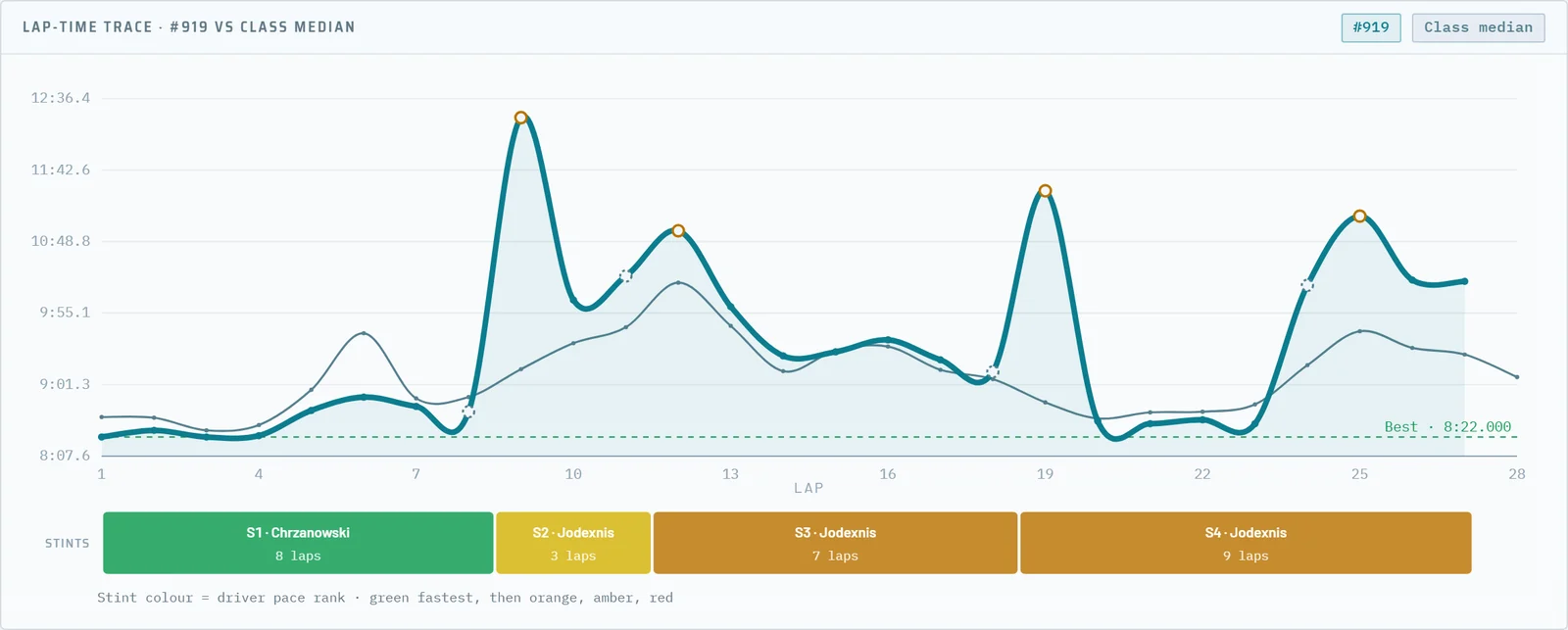
The overview shows the best lap, the theoretical best, the clean average, the finish in the class and overall, the gap to the class best lap and the stints and stops. The lap-time trace puts every lap next to the class median and shades the laps where the whole class was slowed down.
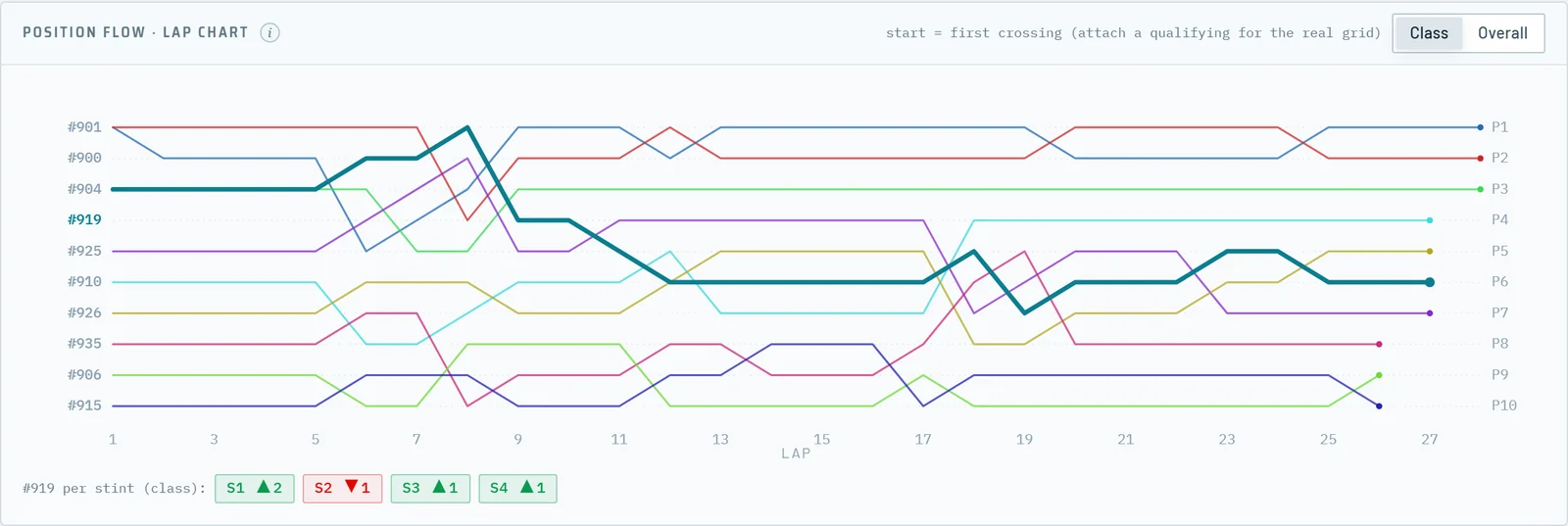
The lap chart shows the position of every car lap by lap, in the class or overall, starting from the qualifying grid when you add the qualifying to the event.
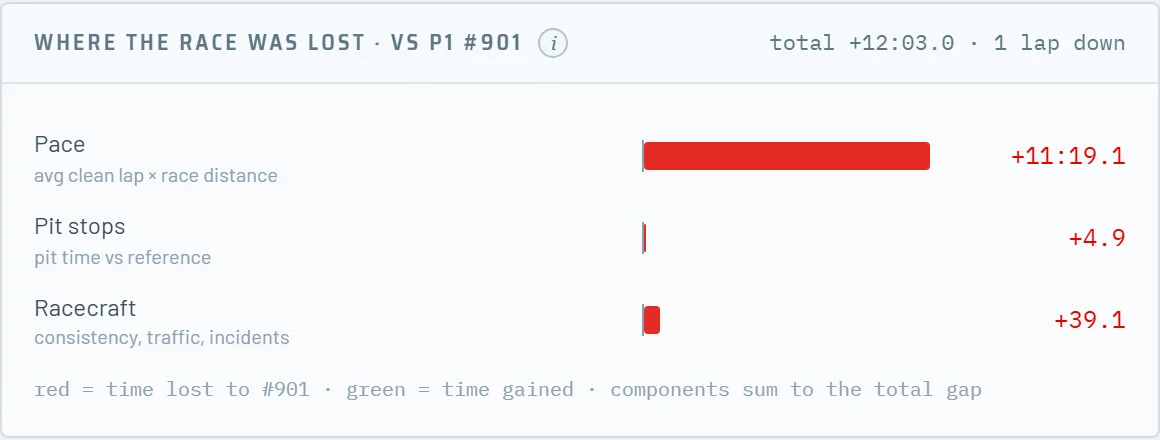
Post-race Analytics splits the total gap to the class winner, or to second place when you won, into pace, pit stops and racecraft. The three parts add up exactly to the gap.
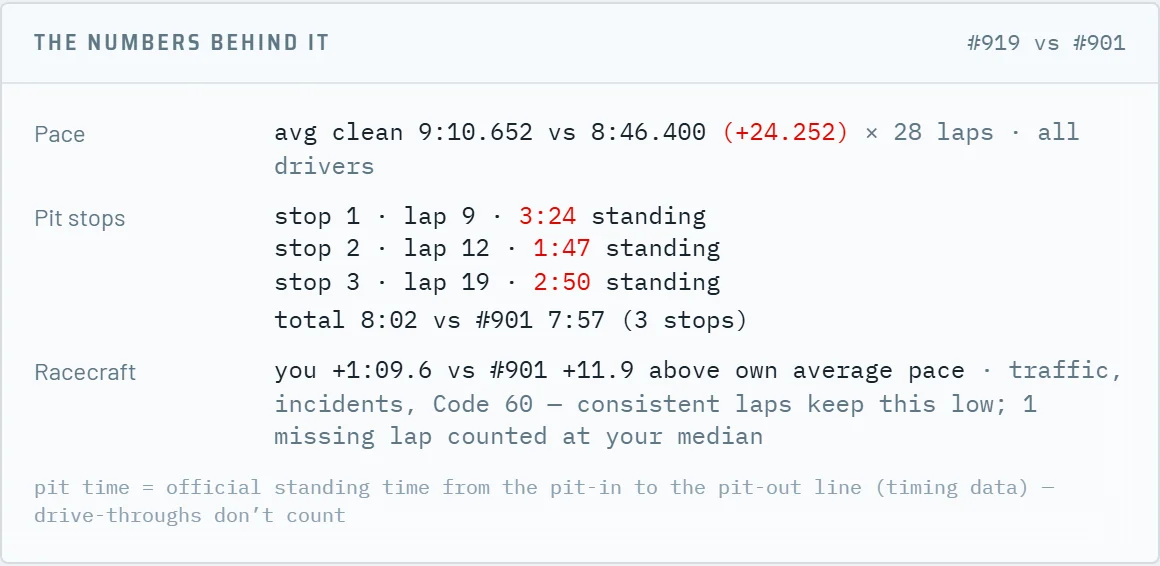
The numbers behind each part are shown underneath: the average clean laps of both cars, every pit stop with its lap and standing time, and the time each car spent above its own average pace.
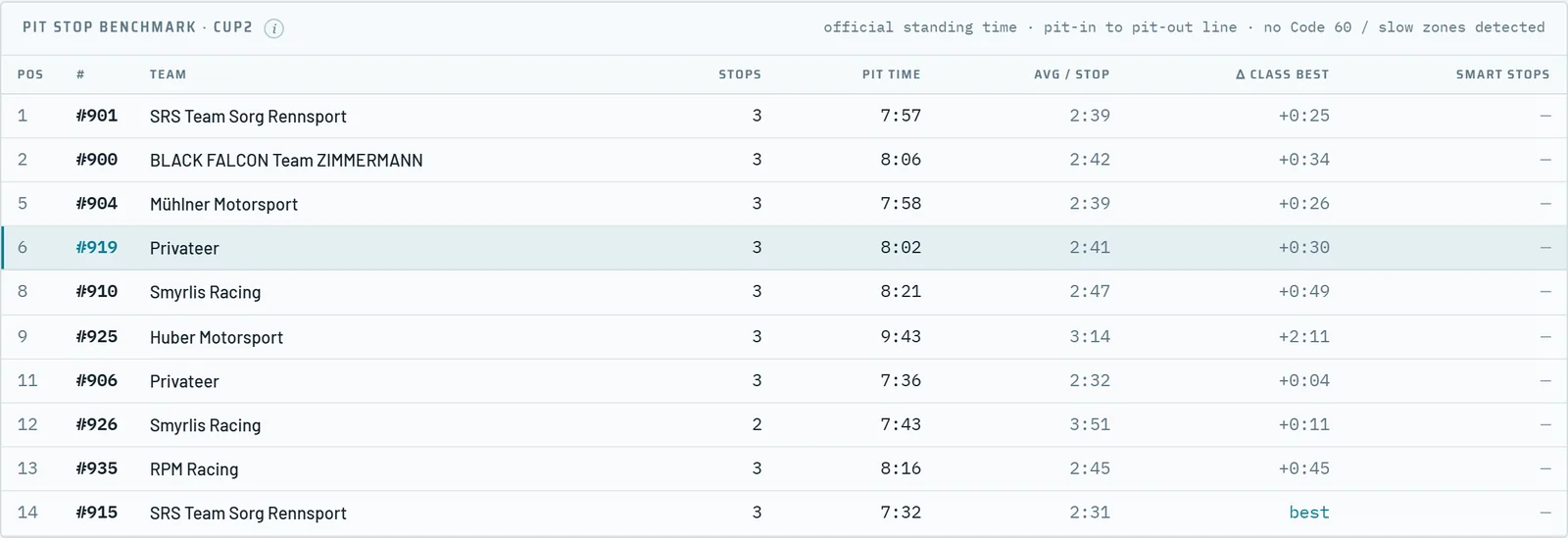
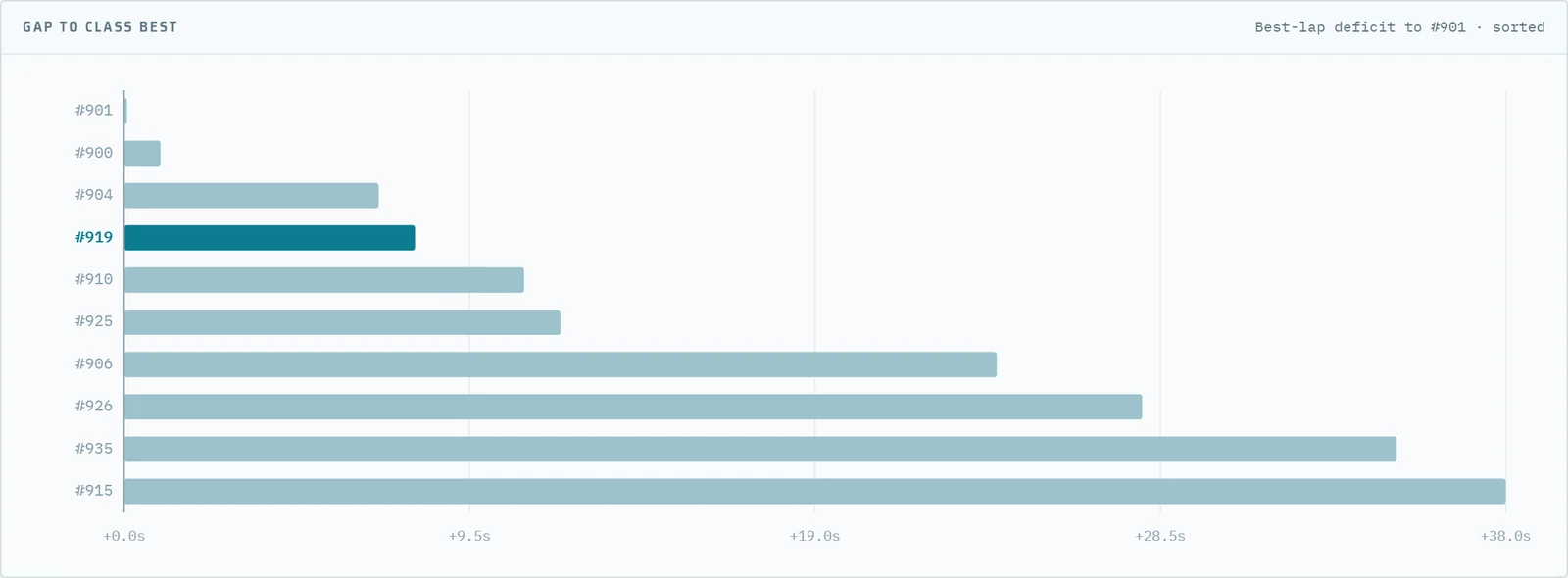
The class view ranks every car on its best-lap deficit to the fastest car and benchmarks the pit stops of the whole class: number of stops, official standing time from the pit-in to the pit-out line, average per stop and the difference to the best total in the class.
Smart stops marks the stops made during a Code 60 or slow zone, when a stop costs the least. The final standings show the best time of every car in every sector.
The best sectors of your car are set against the class best. The FocusIndex divides the loss in each sector by the loss you would expect from that sector's share of the lap: above 1.0 the car loses more than it should, so that is where to work first.
Per driver, Sector focus turns the same analysis into a list with a priority for every sector: high, medium, low or on pace.
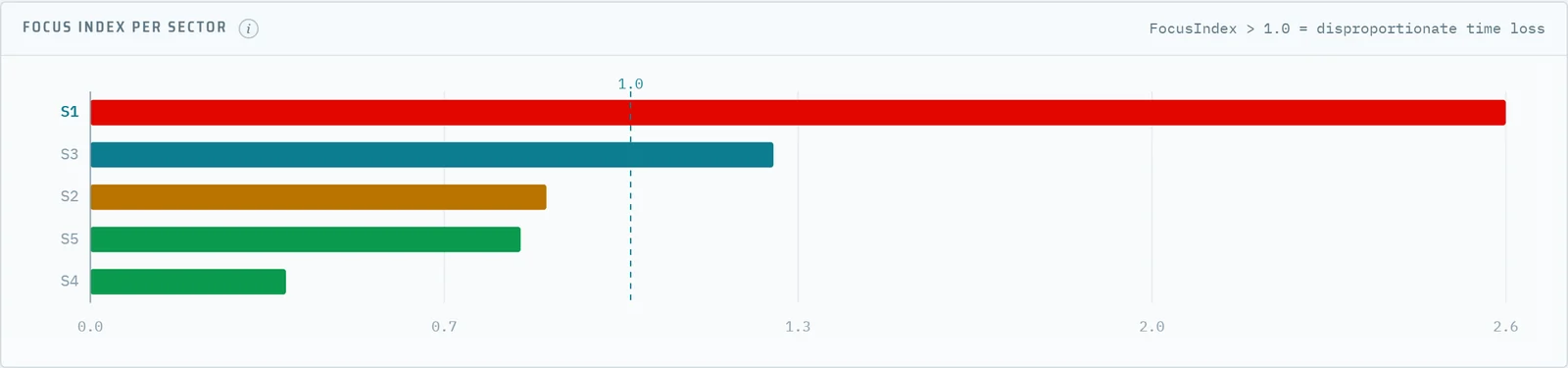

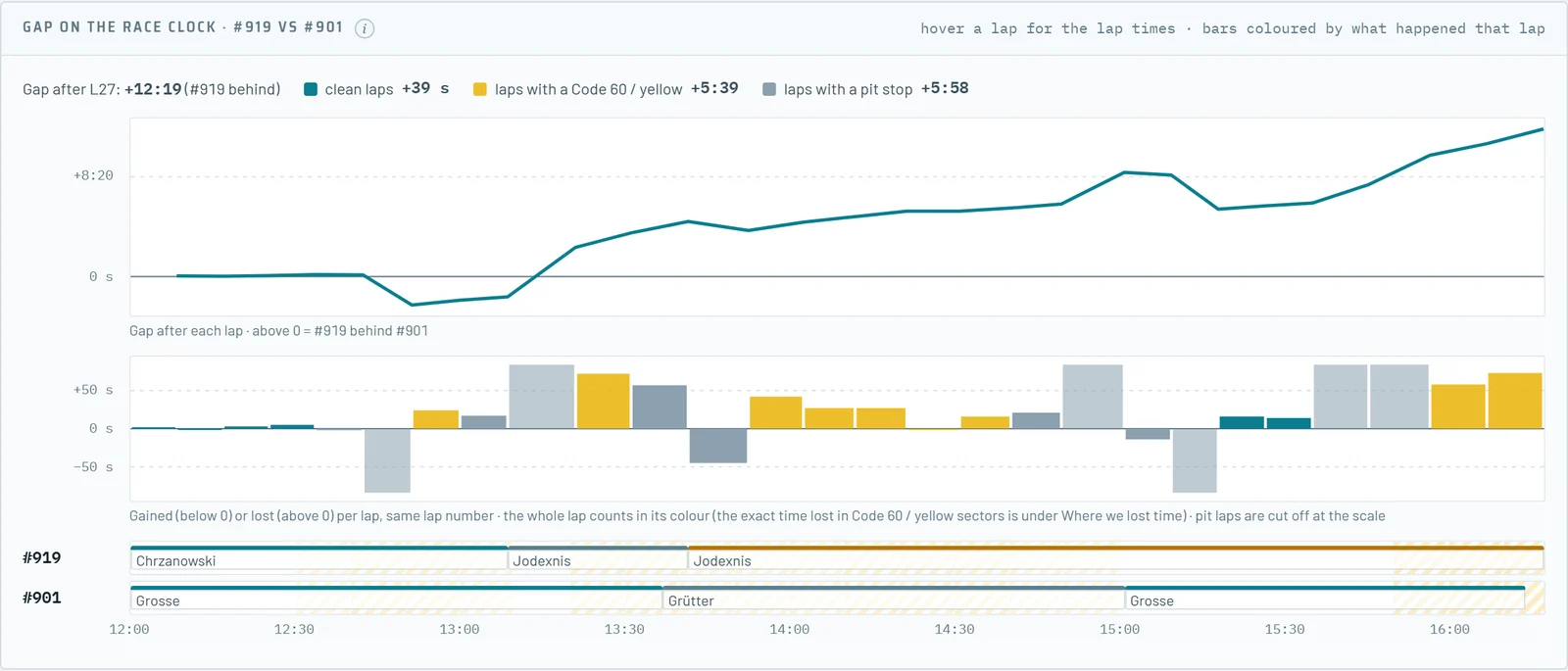
Every lap and sector gets its time of day from the line crossing, so A vs B compares two cars at the same moment: the same track, the same temperature and the same traffic. The gap chart shows the real gap after every lap and, per lap, whether the time went in clean running, in a neutralisation or in a pit stop.
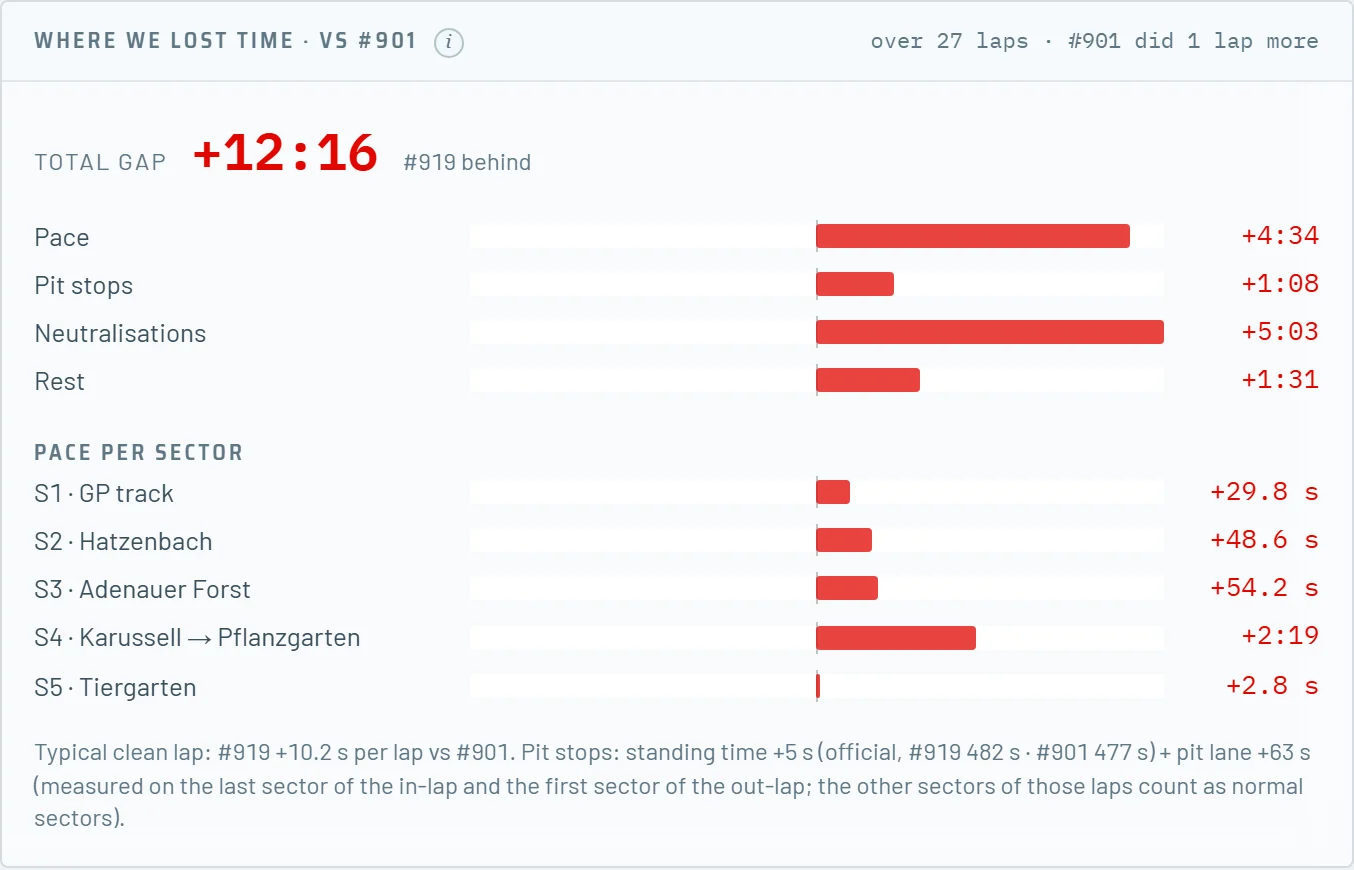
Where we lost time splits the gap into pace per sector, pit stops, neutralisations and the rest, and the sector table compares every clean sector with the rival's passage closest in time.
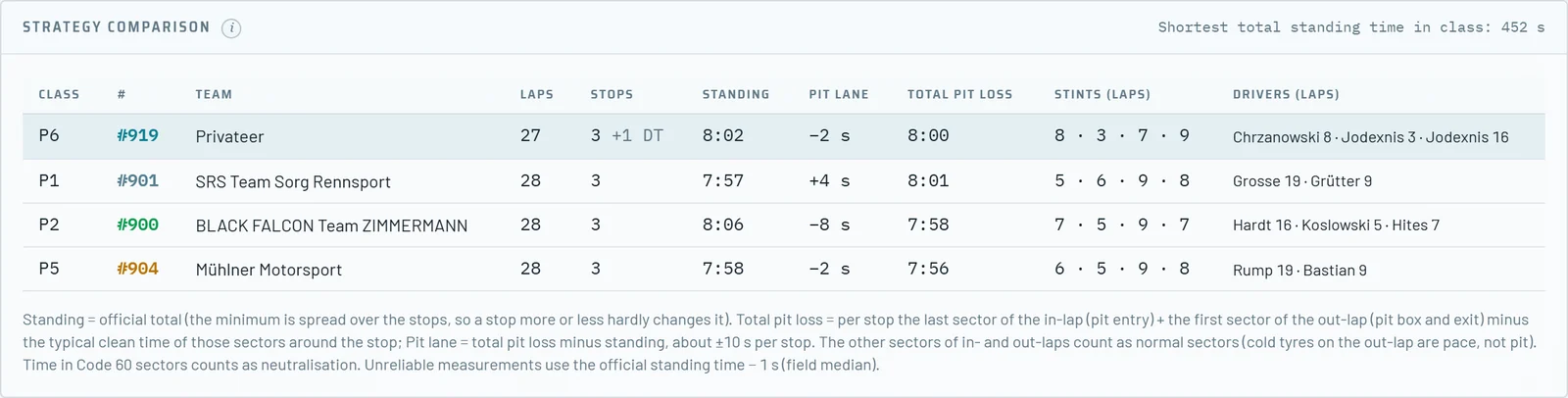
The strategy comparison shows the stops, the official standing time, the pit-lane time and the total pit loss of your car and the selected rivals, with the laps per stint and per driver, and the stints of every car on the race clock.
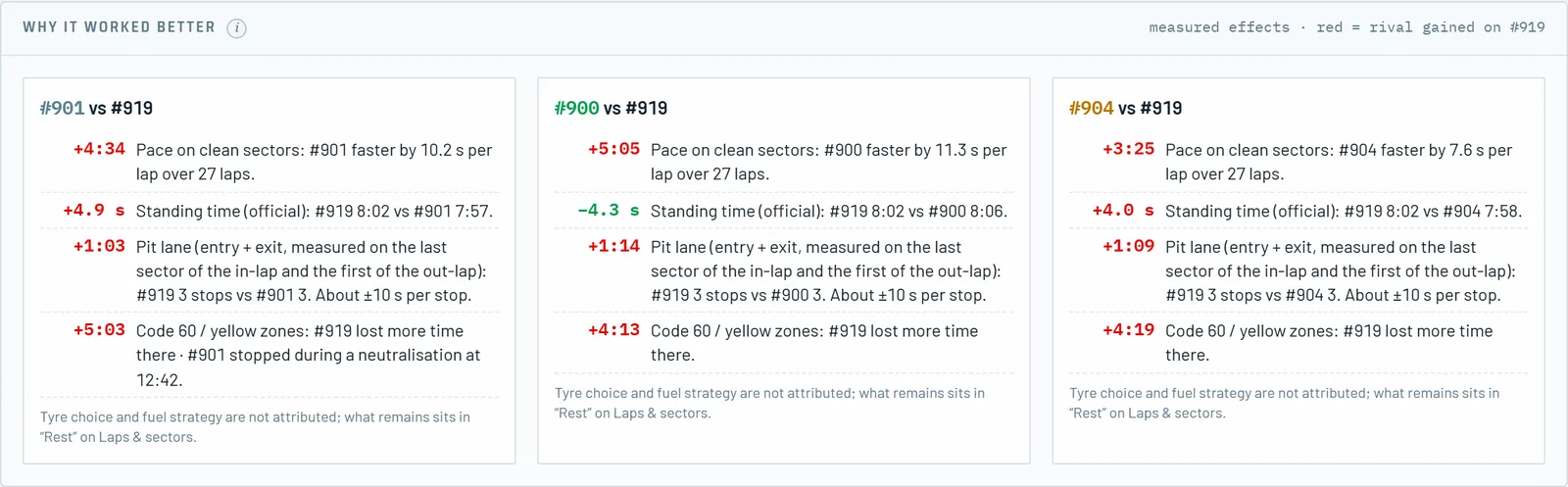
Per rival Stint9 measures the effects in seconds: pace on clean sectors, standing time, pit lane and the time lost in Code 60 and yellow zones, which also covers stopping during a neutralisation.
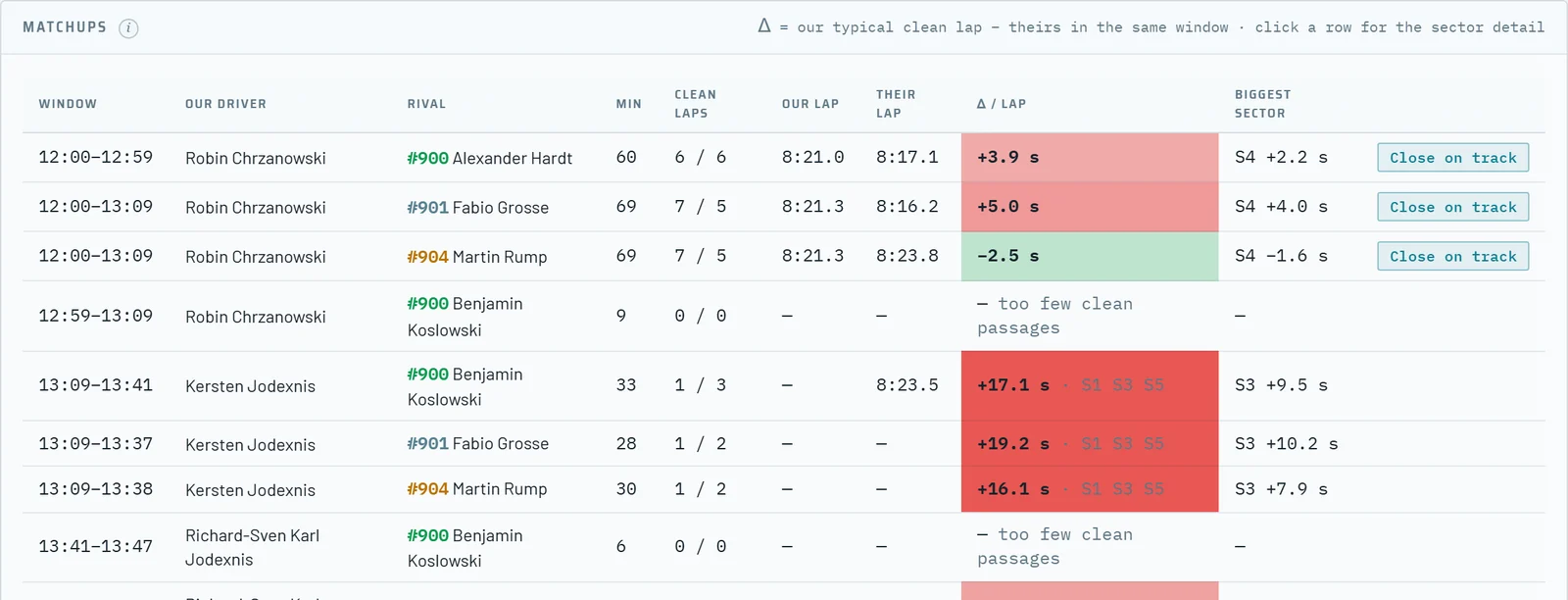
Who drove when shows one lane per car with a block per driver. The matchup table lists every pair of your driver and a rival driver who were on track together for at least five minutes, with the typical clean lap of both and the difference per lap.
Close on track marks the pairs that crossed the line within five seconds of each other. One click opens the sector detail of that window.

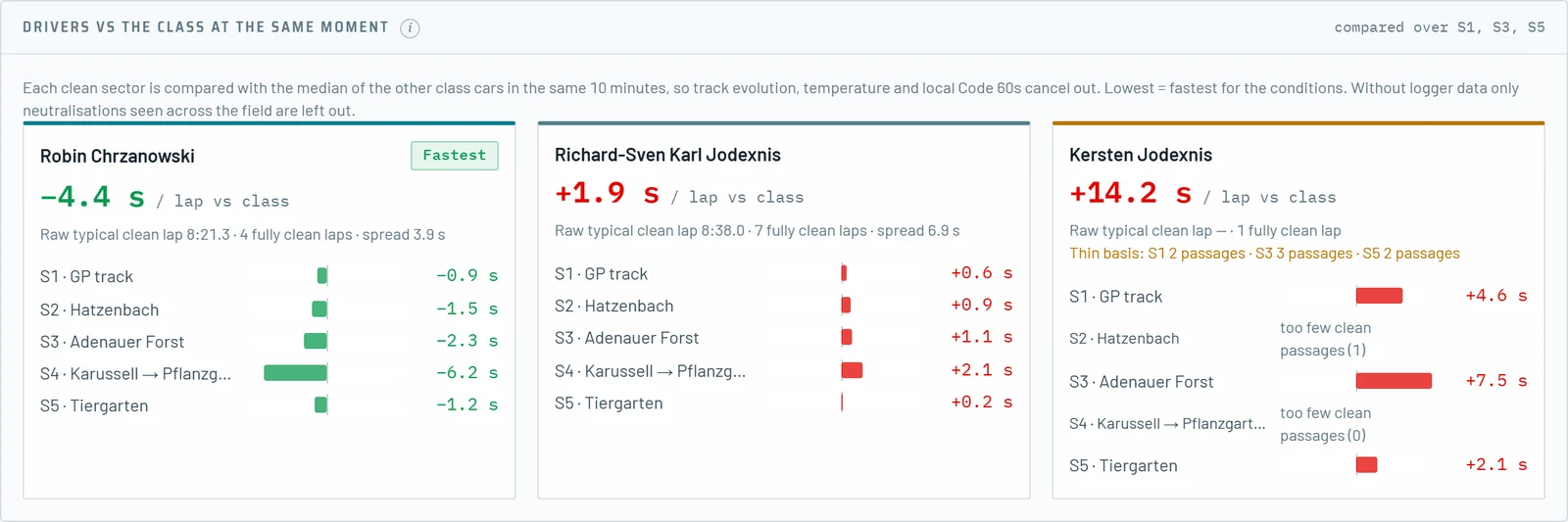
Your drivers never drive at the same time, so each clean sector is compared with the median of the other class cars in the same ten minutes. Conditions cancel out, and the lowest number is the fastest driver for the conditions.
Driver stats puts the best lap, the top-three average, the theoretical best and the clean average of every driver side by side, and Sector focus gives every driver a priority per sector.
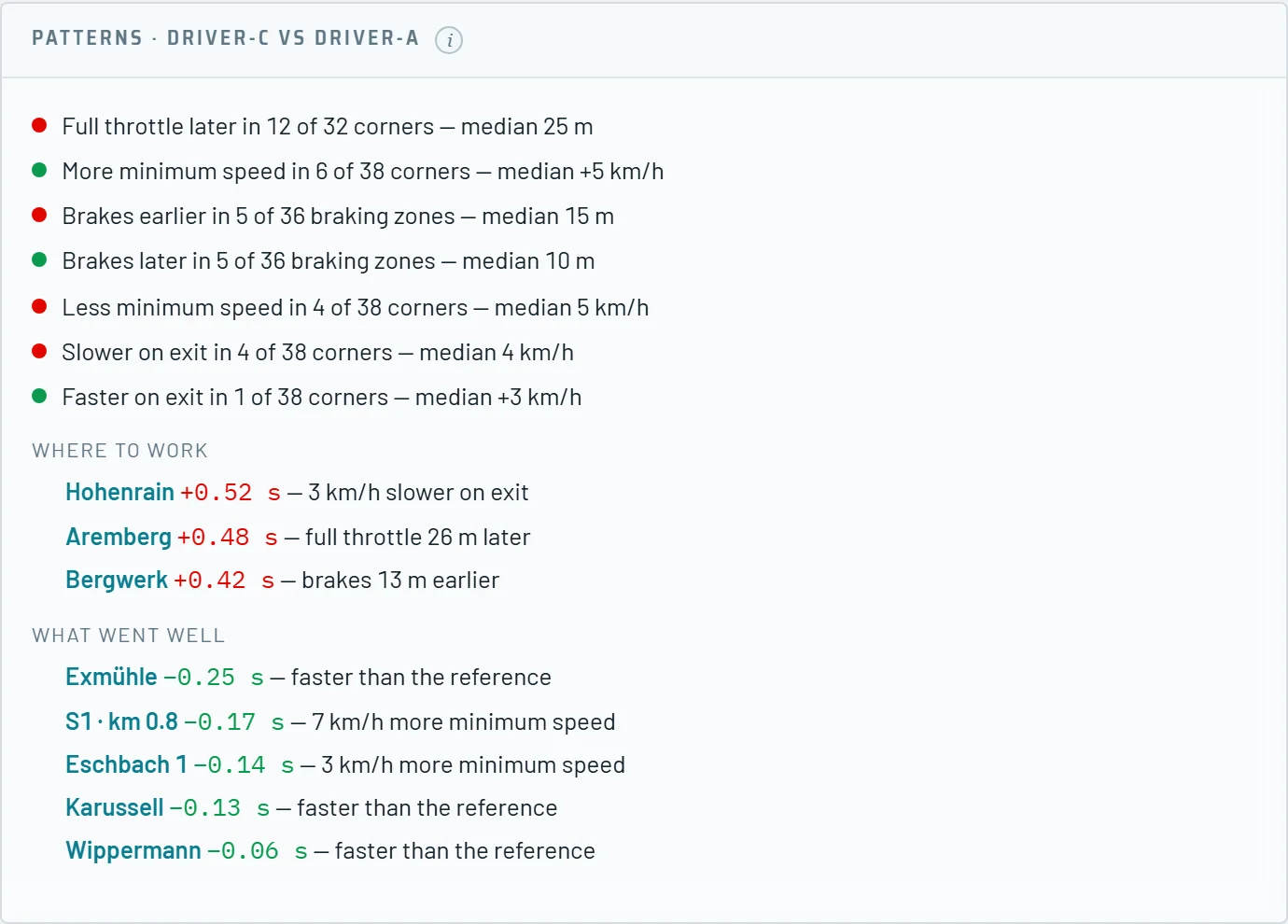
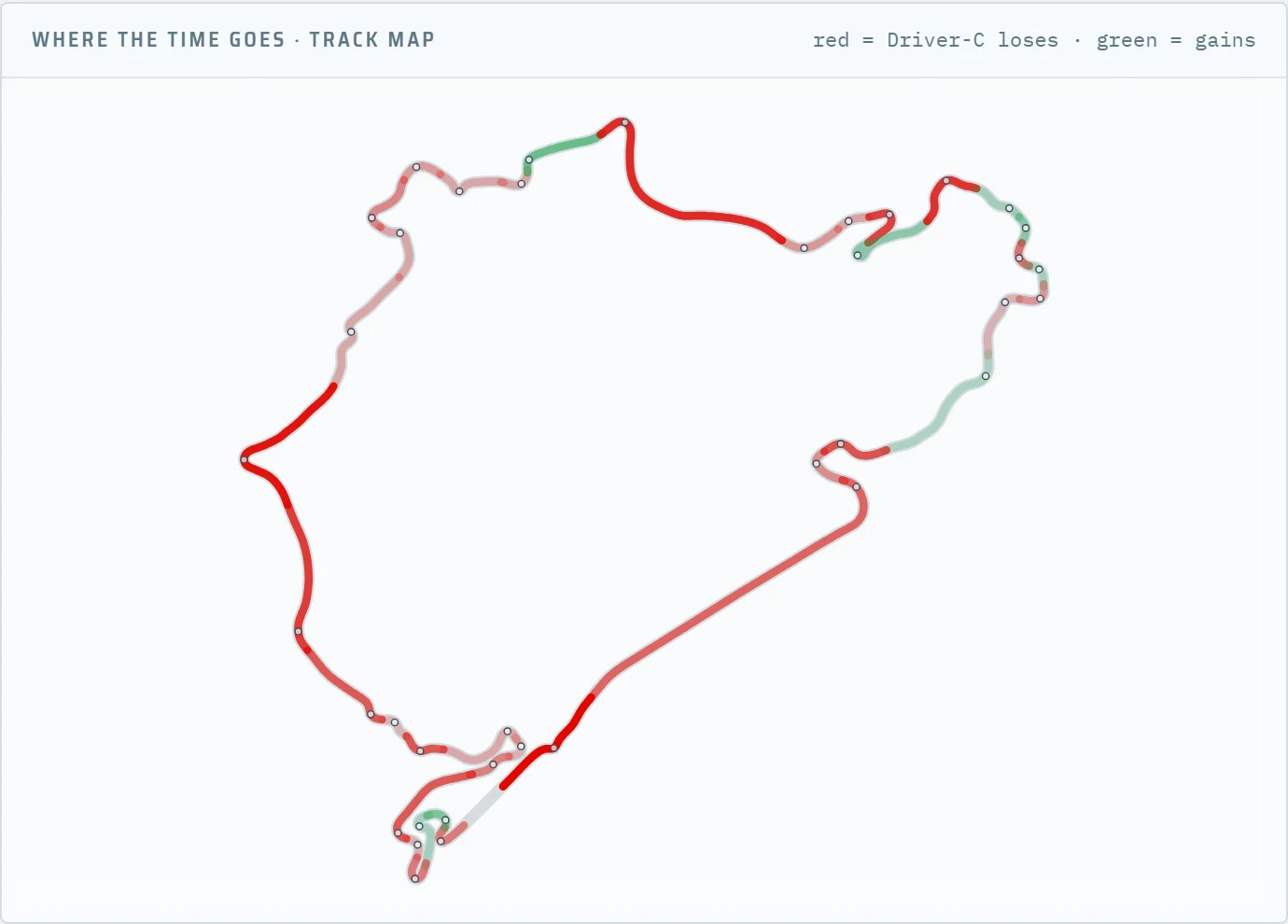
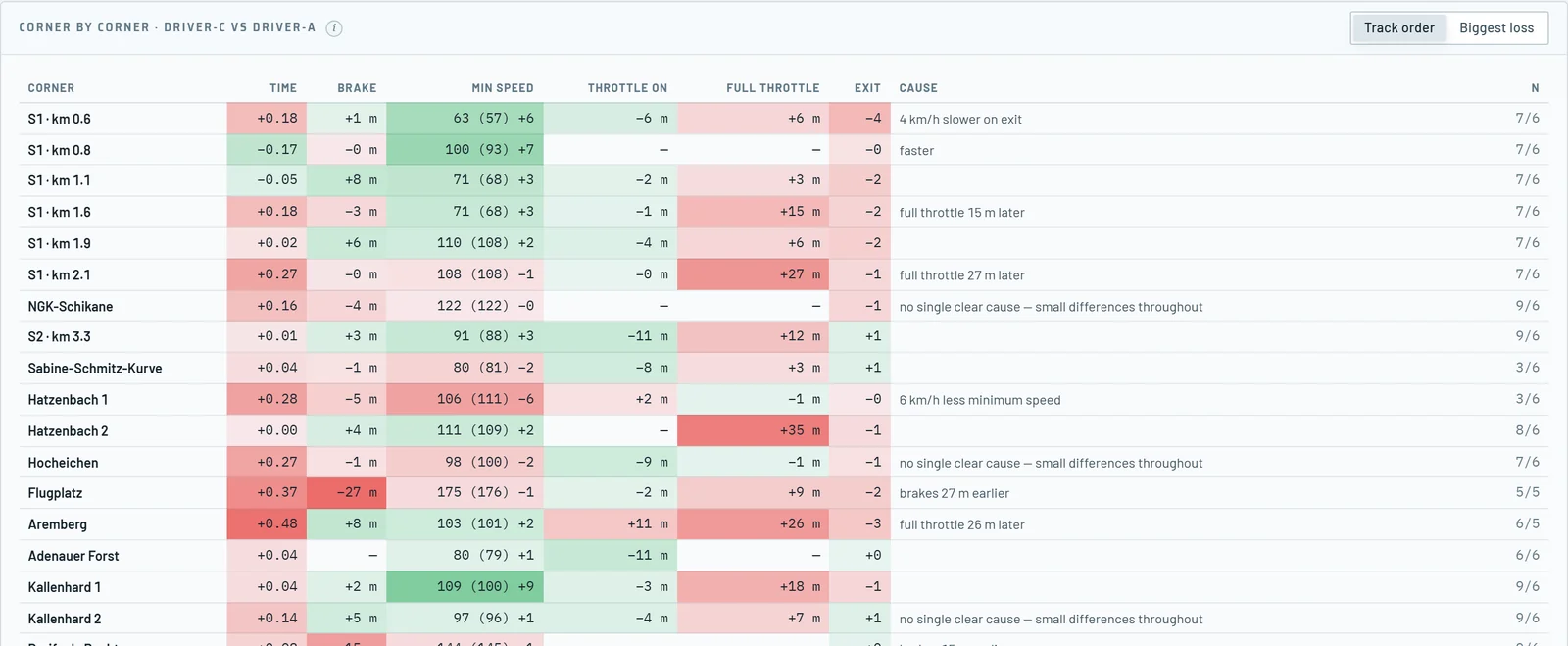
With the AiM or VBOX files of your car, Stint9 compares your drivers corner by corner, but only on clean passages: no Code 60, yellow flag, traffic or pit-lane sector, so a slow lap behind a yellow never counts against a driver. Corners are found automatically and named from OpenStreetMap.
Patterns show what a driver does differently across all corners, the track map shows where the gap grows, and the corner table gives the brake point, minimum speed, throttle and exit speed per corner. The same logger data measures Code 60 and slow zones on your own car, per 100 metres.
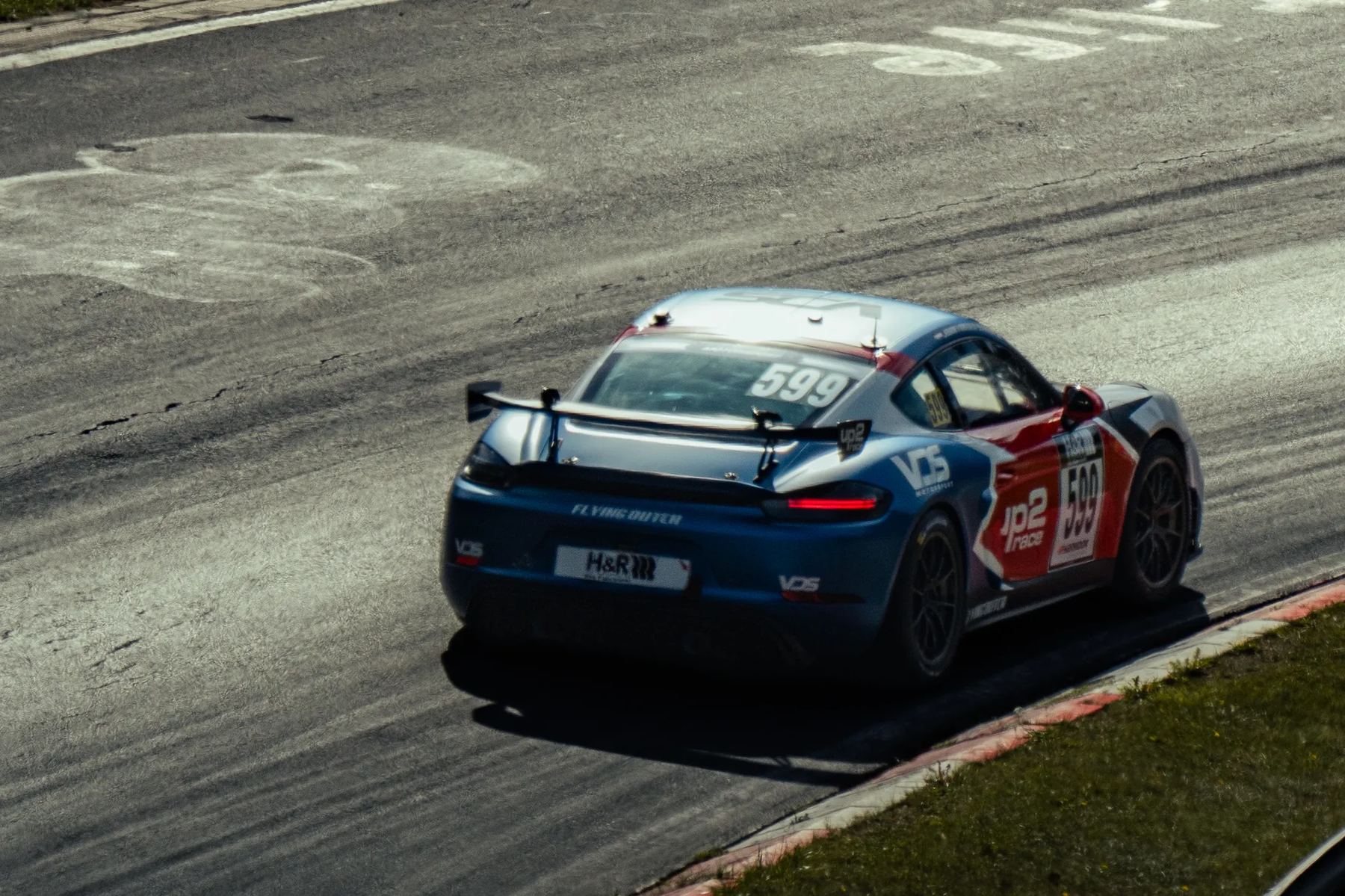
Real data of a VDS Motorsport car at an NLS race; driver names anonymised.

How Post-race Analytics measures
Every figure comes from the official timing or from your own logger, and every split adds up to the gap it explains.
Cars are compared on the race clock: same track, same temperature, same traffic.
Code 60 and yellow sectors never count as pace; with logger data they are measured on your own car.
Pace, pit stops, neutralisations and the rest add up to the total gap.
In NLS 6 the measured stops matched the organiser's stand times within half a second for 88 of 99 cars (checked 3 Aug 2026).
Works together

Nürburgring Pack
Import the official sector-time file of the race, or open a session that Stint9 recorded live, and the analysis is ready in minutes.